
CC-Switch Installation
CC-Switch Introduction 1
A comprehensive auxiliary tool for Claude Code, Codex, and Gemini CLI.
Evolving from a simple provider switcher to an all-in-one AI CLI management platform, it offers unified management for the provider configurations of Claude Code, Codex, and Gemini CLI (no longer maintained). (Please explore other features such as Skill management, system prompt management, session management, and MCP management on your own.)
With CC-Switch, you can:
- One-click API configuration switching — Quickly switch between multiple API providers
- Visual configuration management — Easily manage all configurations via a graphical interface
- System tray quick actions — Quickly switch configurations through the tray menu
Software Download
Important: Ensure your network can access GitHub Releases
Windows
Visit the CC-Switch GitHub Releases page, scroll to the bottom, and select the installation package suitable for your version. For Windows systems, it is recommended to download the installation package with the .msi extension.

After installation, run the CC-Switch main program.
macOS
Visit the CC-Switch GitHub Releases page, scroll to the bottom, and select the installation package suitable for your version. For macOS systems, it is recommended to download the installation package with the .dmg extension.
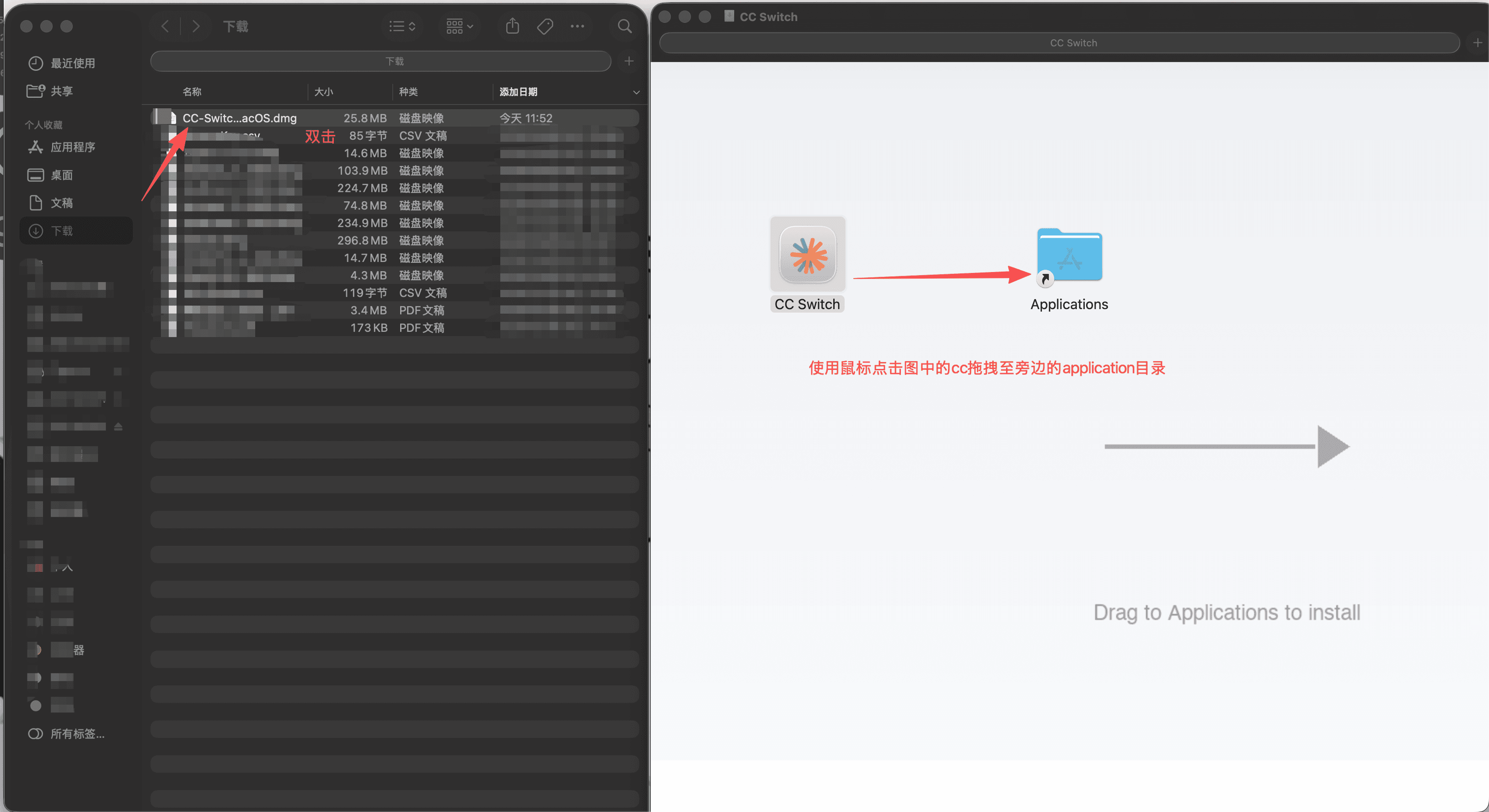
After installation, run the CC-Switch main program from the Applications folder.
Linux
Important: The filenames in the following commands contain the variable
[version], for examplev3.16.5. Please visit the GitHub Releases page to check the latest version, and replace it with the actual version number and full filename.
Important: The filenames in the following commands contain the variable
[system architecture]. You need to select eitherx86_64orarm_64based on your actual architecture.
Debian/Ubuntu systems:
# 下载 .deb 包
wget https://github.com/farion1231/cc-switch/releases/latest/download/CC-Switch-[版本号]-Linux-[系统架构].deb

# 安装
sudo dpkg -i CC-Switch-[版本号]-Linux-[系统架构].deb